Box Plot Worksheet Generator
Make printable box and whisker plot practice: find the five-number summary, draw and read plots, and compare data sets.
Recent
Your last 10 settings, saved only in this browser. Nothing is uploaded.
This box plot worksheet generator makes printable practice sheets in your web browser. You choose the problem types, the difficulty and the number of problems, then print the sheet or save it as a PDF with an answer key on a separate page. It is free, needs no sign-up, and nothing is uploaded.
A box plot, also called a box and whisker plot, shows the minimum, first quartile, median, third quartile and maximum of a data set on a number line. The generator has eight problem types: finding the five-number summary, the range and the interquartile range, drawing a plot on a blank number line, reading a plot that is drawn for you, percent of data in each part, outliers with the 1.5 × IQR rule, comparing two plots, and word problems.
You can use the sheets in class or in a tutoring business, with no credit needed.
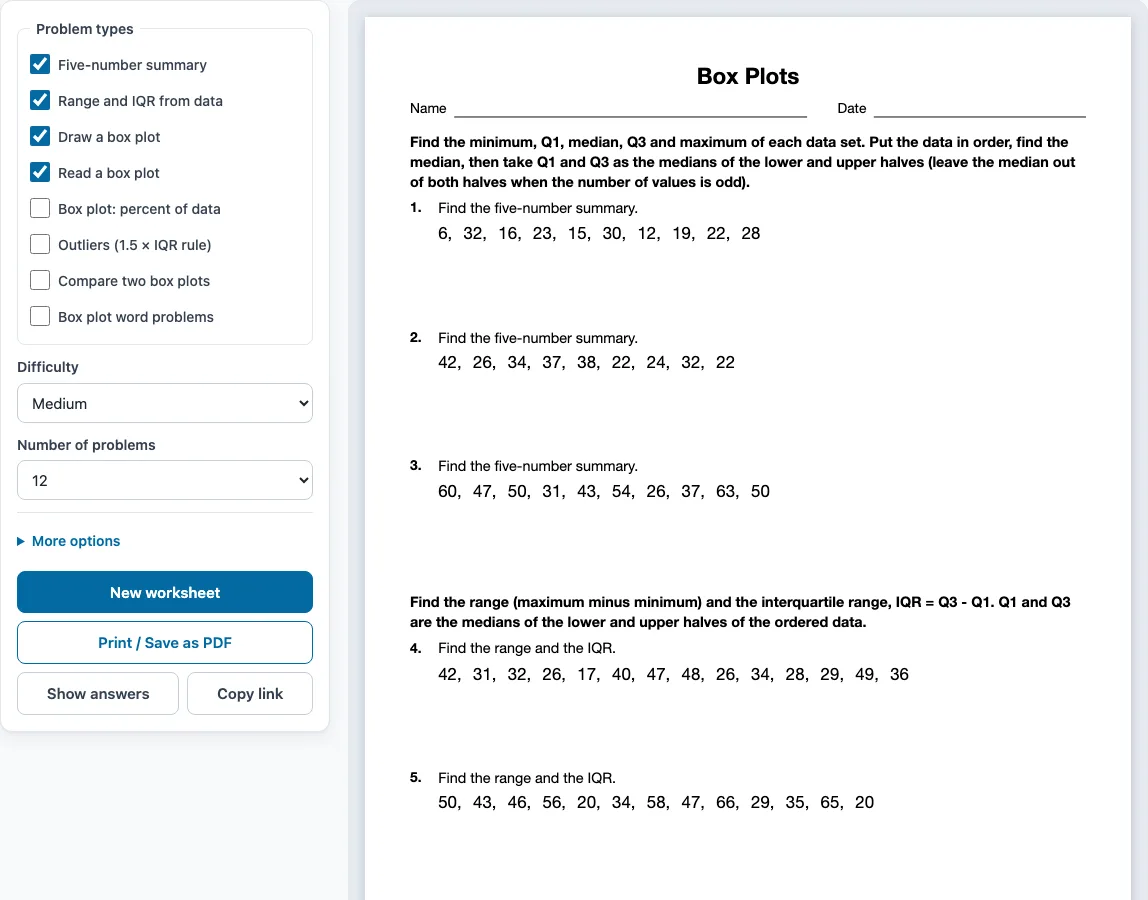
How to use the Box Plot Worksheet Generator
- Tick one or more boxes under Problem types. The boxes ticked when the page opens are Five-number summary, Range and IQR from data, Draw a box plot and Read a box plot.
- Choose a level under Difficulty: Easy, Medium or Hard.
- Pick how many problems you want under Number of problems, from 6 to 30.
- Open More options to set the Columns (Automatic, 1, 2 or 3), the Paper size (Letter 8.5 × 11 in or A4 210 × 297 mm), a Worksheet title and the Name and date line.
- Check the preview on the right. Press Show answers to see each answer under its problem, and press it again to hide them.
- Press New worksheet for a fresh random set with the same settings. When you are ready, press Print / Save as PDF, then choose Save as PDF in the print dialog to get a file. Unticking every box leaves the sheet empty, so keep at least one type ticked.
When you tick more than one problem type, the problems are shared out evenly and grouped by type, with a one-line instruction above each group. Copy link saves the problem set as a link, so the same worksheet opens again later. Your settings are remembered in this browser, unless you open a shared link.
How do you find the five-number summary?
Put the data in order. The minimum and maximum are the first and last values. The median splits the list in half. The first quartile (Q1) is the median of the lower half and the third quartile (Q3) is the median of the upper half. When the number of values is odd, the median itself is left out of both halves.
This is the method the Five-number summary type uses, and its instruction states it, so students and teachers get the same answers. Some textbooks include the median in both halves, which can give different quartiles, so check which method your class uses.
How do you draw a box plot?
Draw a number line that covers the data. Mark the five numbers above it. Draw a box from Q1 to Q3 with a line through it at the median, then draw whiskers from the box to the minimum and to the maximum. The Draw a box plot type gives the five numbers and a blank labelled number line, and the answer key shows the finished plot.
What is the interquartile range?
The interquartile range (IQR) is Q3 minus Q1, the width of the box. It measures the spread of the middle half of the data. The range, maximum minus minimum, measures the spread of everything. The Range and IQR type asks for both from a list of values.
How do you find outliers in a box plot?
A common rule multiplies the IQR by 1.5. Any value below Q1 − 1.5 × IQR or above Q3 + 1.5 × IQR is an outlier. In a plot an outlier is drawn as a dot and the whisker stops at the last value inside the fences. The Outliers type asks for the fences, for whether a value is an outlier, and at Hard level for the list of outliers.
What does a box plot tell you about the data?
Each of the four parts, from the minimum to Q1, Q1 to the median, the median to Q3 and Q3 to the maximum, holds about a quarter of the data. A longer box or whisker means the data are more spread out in that part. The Compare two box plots type puts two plots on one scale and asks which has the greater median or the greater spread.
Sample problems from this generator
- Find the five-number summary. 35, 59, 37, 24, 47, 26, 49, 40, 49, 56, 27, 35 Answer: min 24, Q1 = 31, median 38.5, Q3 = 49, max 59
- Find the range and the IQR. 26, 18, 38, 29, 20, 36, 23, 48, 24, 52 Answer: range = 34, IQR = 15
- Draw the box plot. min 6, Q1 = 11, median 14, Q3 = 16, max 19 Answer: min 6, Q1 = 11, median 14, Q3 = 16, max 19
- The box plot shows the prices, in dollars, of 20 sneakers. What is the interquartile range (IQR)? Answer: 20
Frequently asked questions
Do the plots show outliers?
Hard problems can include an outlier. It is drawn as a dot beyond the whisker, and the Read a box plot type includes plots where the dot lies beyond the fence.
What is the difference between a box plot and a box and whisker plot?
None. Both names describe the same graph. The generator uses either, and the worksheet pages cover both.
How many values are in the data sets?
Between 9 and 15 whole numbers. Easy problems use an odd count of 9 or 11 with whole-number quartiles, so the first worksheet is easy to mark.
Can I make a worksheet with plots to read only?
Yes. Tick only Read a box plot. Each problem shows a plot on a labelled number line and asks for the median, the range, the IQR or a percent of the data.
Does the worksheet come with answers?
Yes. By default the answer key prints on a separate page after the worksheet. Press Show answers to see each answer under its problem in the preview, and untick Answer key on a separate page under More options if you want to leave the key out.
Can I use these worksheets in my class or tutoring business?
Yes. You can use the worksheets you make here at home, in school and in a tutoring business, and you do not need to give credit. You may not resell them as a stand-alone product or copy the generator itself; see the terms.
Related tools
- Mean median mode worksheets: use these for mean, median, mode and range, the measures behind a box plot.
- Probability worksheets: use these for chance problems from the same data unit.
- Percent worksheets: use these to practise the percents that quartiles describe.
- Integers worksheets: use these to practise negative values in data sets.
- Unit rate worksheets: use these for rates and ratios.
- Word problems worksheets: use these for more word problems that turn sentences into equations.
- Number skills worksheets: browse all the number skills worksheet makers.
- Pre algebra worksheets: use these for a wider set of skills that come before algebra.